Click here to go see the bonus panel!
Hovertext:
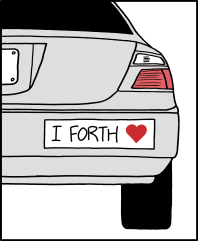
At first they fear that the antenna is a probe, but after about thirty minutes they wish it was merely probe day.
Today's News:

Hovertext:
At first they fear that the antenna is a probe, but after about thirty minutes they wish it was merely probe day.
Welcome to the Tulip Creative Computer (Tulip CC)!
Tulip is a low power and affordable self-contained portable computer, with a touchscreen display and sound. It's fully programmable - you write code to define your music, games or anything else you can think of. It boots instantaneously into a Python prompt with a lot of built in support for music synthesis, fast graphics and text, hardware MIDI, network access and external sensors. Dive right into making something without distractions or complications.
The entire system is dedicated to your code, the display and sound, running in real time, on specialized hardware. The hardware and software are fully open source and anyone can buy one or build one. You can use Tulip to make music, code, art, games, or just write.
You can now even run Tulip on the web and share your creations with anyone!
Tulip is powered by MicroPython, AMY, and LVGL. The Tulip hardware runs on the ESP32-S3 chip using the ESP-IDF.
Chat about Tulip on our Discord!
Check out this video!
You can use Tulip one of three ways:
If you're nervous about getting or building the hardware, try it out on the web!
The hardware Tulip CC supports:
I've been working on Tulip on and off for years over many hardware iterations and hope that someone out there finds it as fun as I have, either making things with Tulip or working on Tulip itself. I'd love feedback, your own Tulip experiments or pull requests to improve the system.
A new small option: get yourself a T-Deck and install Tulip CC on it directly! Check out our T-Deck page for more detail.
Once you've bought a Tulip, opened Tulip Web, built a Tulip or installed Tulip Desktop, you'll see that Tulip boots right into a Python prompt and all interaction with the system happens there. You can make your own Python programs with Tulip's built in editor and execute them, or just experiment on the Tulip REPL prompt in real time.
See the full Tulip API for more details on all the graphics, sound and input functions.
Below are a few getting started tips and small examples. The full API page has more detail on everything you can do on a Tulip. See a more complete getting started page or a music making tutorial as well!
# Run a saved Python file. Control-C stops it
cd('ex') # The ex folder has a few examples and graphics in it
execfile("parallax.py")
# If you want to run a Tulip package (folder with other files in it)
run("game")Tulip ships with a text editor, based on pico/nano. It supports syntax highlighting, search, save/save-as.
# Opens the Tulip editor to the given filename.
edit("game.py")Tulip supports USB keyboard and mice input as well as touch input. (On Tulip Desktop and Web, mouse clicks act as touch points.) It also comes with UI elements like buttons and sliders to use in your applications, and a way to run mulitple applications as once using callbacks. More in the full API.
(x0, y0, x1, y1, x2, y2) = tulip.touch()Tulip CC has the capability to connect to a Wi-Fi network, and Python's native requests library will work to access TCP and UDP. We ship a few convenience functions to grab data from URLs as well. More in the full API.
# Join a wifi network (not needed on Tulip Desktop or Web)
tulip.wifi("ssid", "password")
# Get IP address or check if connected
ip_address = tulip.ip() # returns None if not connected
# Save the contents of a URL to disk (needs wifi)
bytes_read = tulip.url_save("https://url", "filename.ext")Tulip comes with the AMY synthesizer, a very full featured 120-oscillator synth that supports FM, PCM, additive synthesis, partial synthesis, filters, and much more. We also provide a useful "music computer" for scales, chords and progressions. More in the full API and in the music tutorial. Tulip's version of AMY comes with stereo sound, which you can set per oscillator with the pan parameter.
amy.drums() # plays a test song
amy.send(volume=4) # change volume
amy.reset() # stops all music / sounds playingTulip supports MIDI in and out to connect to external music hardware. You can set up a Python callback to respond immediately to any incoming MIDI message. You can also send messages out to MIDI out. More in the full API and music tutorial.
m = tulip.midi_in() # returns bytes of the last MIDI message received
tulip.midi_out((144,60,127)) # sends a note on message
tulip.midi_out(bytes) # Can send bytes or listThe Tulip GPU supports a scrolling background layer, hardware sprites, and a text layer. Much more in the full API.
# Set or get a pixel on the BG
pal_idx = tulip.bg_pixel(x,y)
# Set the contents of a PNG file on the background.
tulip.bg_png(png_filename, x, y)
tulip.bg_scroll(line, x_offset, y_offset, x_speed, y_speed)Hardware sprites are supported. They draw over the background and text layer per scanline per frame:
(w, h, bytes) = tulip.sprite_png("filename.png", mem_pos)
...
# Set a sprite x and y position
tulip.sprite_move(12, x, y)Still very much early days, but Tulip supports a native chat and file sharing BBS called TULIP ~ WORLD where you can hang out with other Tulip owners. You're able to pull down the latest messages and files and send messages and files yourself. More in the full API.
import world
world.post_message("hello!!") # Sends a message to Tulip World. username required. will prompt if not set
world.upload(filename) # Uploads a file to Tulip World. username required
world.ls() # lists most recent unique filenames/usernames
Chat about Tulip on our Discord!
Two important development guidelines if you'd like to help contribute!
Have fun!


As of 2025, a stamp for a letter costs $0.78 in the United States. Amazon Prime sells items for less than that... with free shipping! Why send a postcard when you can send actual stuff?
I found all items under $0.78 with free Prime shipping — screws, cans, pasta, whatever. Add a free gift note. It arrives in 1 or 2 days. Done.
You're not only saving money. It's about sending something real. Your friend gets a random can of tomato sauce with your birthday note attached. They laugh. They remember you. They might even use it!
Prices updated 4 minutes ago
| $0.25 | ![]() | Lime |
| $0.42 | ![]() | Kool-Aid Unsweetened Tropical Punch Powdered Drink Mix, 0.16 oz. Packet |
| $0.45 | ![]() | Amazon Grocery, Brown Gravy Mix, 0.87 Oz (Previously Happy Belly, Packaging May Vary) |
| $0.47 | ![]() | Maruchan Ramen Noodle Soup, Beef, 3 oz |
| $0.49 | ![]() | Lemon |
| $0.50 | ![]() | LA MODERNA, Vermicelli Pasta, 7 oz (Pack of 1) | Enriched Durum Wheat Semolina | Kosher, Non-GMO, Iron and Vitamin-Fortified | Thin Vermicelli Noodles for Soups, Broths, and Quick Meals |
| $0.51 | ![]() | Simpson Strong-Tie H2.5A H2.5A 18-Gauge Galvanized Hurricane Tie |
| $0.56 | ![]() | Russet Potato, 1 Each |
| $0.58 | ![]() | Apple Barrel Acrylic Paint in Assorted Colors (2 Ounce), 20504 Black |
| $0.70 | ![]() | Amazon Grocery, Tomato Sauce, 8 Oz (Previously Amazon Fresh, Packaging May Vary) |
| $0.77 | ![]() | Yoplait Original Low Fat Strawberry Yogurt Cup, Made with Real Fruit, 6 oz |
In 2023, I ordered $1 cans of beans to a bunch of extended family members. It ignited our family group chat for a few weeks and everyone was super into it. Pictures of beans started rolling in. Then they started sending random stuff to each other. An asbestos warning label, cookies, a tin of sardines. Someone even sent a pregnancy test to my grandmother.

This site is not affiliated with or endorsed by Amazon, obviously!

A lot has already been said about the absurdly large corner radius of windows on macOS Tahoe. People are calling the way it looks comical, like a child’s toy, or downright insane.
Setting all the aesthetic issues aside – which are to some extent a matter of taste – it also comes at a cost in terms of usability.
Since upgrading to macOS Tahoe, I’ve noticed that quite often my attempts to resize a window are failing.
This never happened to me before in almost 40 years of using computers. So why all of a sudden?
It turns out that my initial click in the window corner instinctively happens in an area where the window doesn’t respond to it. The window expects this click to happen in an area of 19 × 19 pixels, located near the window corner.
If the window had no rounded corners at all, 62% of that area would lie inside the window:

But due to the huge corner radius in Tahoe, most of it – about 75% – now lies outside the window:

Living on this planet for quite a few decades, I have learned that it rarely works to grab things if you don’t actually touch them:
So I instinctively try to grab the window corner inside the window, typically somewhere in that green area, near the blue dot:

And I assume that most people would also intuitively expect to be able to grab the corner there. But no, that’s already outside the accepted target area:

So, for example, grabbing it here does not work:

But guess what – grabbing it here does:

So in the end, the most reliable way to resize a window in Tahoe is to grab it outside the corner – a gesture that feels unnatural and unintuitive, and is therefore inevitably error-prone.

In 2013, John Kindschuh was chatting with another patient in the hospital when his words abruptly slurred. That patient recognized something was wrong and called for help. Doctors were able to intervene.
I can't remember where I first saw them, but ever since, I have been unable to forget them: abelian sandpiles. I'm far from the only one. They're remarkably simple, yet produce lovely symmetric patterns. I loved them so much that I adorned the title banner of this blog with an animation of an abelian sandpile. But what exactly are abelian sandpiles? How do they work? And how many pretty, mesmerizing pictures can we make with these things?
Let's start with an explanation. An abelian sandpile lives on a grid. On each grid cell there can be any number of grains of sand. But if there are four or more grains of sand on a single cell, then the grains topple over into the four neighbouring cells. Toppling might cause other grid cells to have four or more grains of sand, so they also must topple. This repeats until all cells have three grains of sand or fewer, at which point the abelian sandpile is said to be stable. If a cell topples on the edge of the grid, then a grain "falls off" the edge and only the neighbours of the cell that are in the grid gain a grain of sand. This ensures that toppling always finishes in a final stable sandpile. Try adding grains to the grid below to see how the rules work.
Repeatedly adding grains of sand to the center gives a smaller version of the animation that lives on the top of my blog. If you try this, then it doesn't take long before you start seeing the some grid configurations repeat.
Notice how when there are many neighbouring cells with three grains of sand, adding one more grain of sand causes a cascade of toppling and the final stable pattern is hard to predict. You might wonder how we should handle cases where there are multiple grid cells that need to be toppled. Since toppling one cell affects its neighbours then we need to be careful about the order we topple cells. Or do we?
This brings me neatly to the "Abelian" term. From here on, I will be referring to abelian sandpiles as just sandpiles. In the context of Group Theory, an abelian group is both associative and commutative. In "English", this means that order doesn't matter. This is precisely analogous to addition of numbers. When you are summing a set of numbers, no matter in which order you add them together, you will get the same result.
As it turns out, the same is true of toppling cells in our sandpile, which is part of the reason why it carries the name "Abelian". This might seem like a quirky observation that I can use to simplify my toppling implementation. Which is true. However, it also gives us a connection to a rich field of Mathematics: namely "Abstract Algebra" & "Group Theory". We will use this later to generate a nice pattern, but for now let's simply focus on the fact that the toppling order is irrelevant. I won't be proving that toppling order is irrelevant, but I will at least demonstrate it.
In the sandpile widget above, you can build a sandpile by adding one grain at a time, and toppling is done eagerly as soon as a cell has more than 4 grains of sand. Since I've now claimed that toppling order is irrelevant, we can consider a different way of building a sandpile. We can add all the grains of sand at the beginning, allowing cells to temporarily have 4 grains of sand or more. Then, when we're done, we can topple all the cells that have 4 grains or more. You can try this in the widget below. On the left you can place all the sand you want and on the right you'll see the usual view of what the sandpile looks like when toppling is done eagerly. When you're done adding sand, you can press "Topple" to topple all the sand in a random order. At the end, the left sandpile and the right sandpile will be equal.
No matter when we do the toppling we always get the same result. We can dump as much sand onto the grid as we like and just do all the toppling at the end. This lets us explore another interesting idea. What happens if we add one sandpile to another?
Let's say we have two sandpiles A and B. We can then create a new sandpile A + B by doing the element-wise sum of grid cells and then toppling the sand at the end. You can think of this as dumping all the sand in B onto A and then toppling.
The reason we want to add whole sandpiles directly is because, again, it lets us reach into the mathematical theory of groups. I mentioned earlier that because sandpiles form an abelian group, we add them in any order, but there's more that we can use. All groups must have something analogous to the number zero, where adding zero to a number has no effect. This means there must be a sandpile that when "added" to another sandpile leaves the other sandpile unchanged. This special sandpile has a name: the identity sandpile. You might think that this is just the empty sandpile, with no sand in any grid cell, but this is not the case. This is because the empty sandpile is excluded from the abelian group, by definition. In fact, many sandpiles are excluded from the abelian group because they don't have the right properties.
Let's take a short break to look at some animated sandpiles on different square grids. As you watch sand being added to each grid, can you spot anything that's different about the empty grid compared to other sandpiles encountered? By the time you read this, you might need to reset the grids to see the empty grid. Don't forget to take a moment to appreciate the nice geometric patterns that emerge.
You might notice that some sandpiles repeat and some sandpiles are never seen again. The empty grid is one such sandpiles that never repeats. This makes perfect sense. At every step we are adding sand to the grid. We occasionally lose sand due to it "falling off" the edges of the grid, but we can never lose all the sand on the grid by adding more sand. So once we've added some sand to the grid, we can never get back to the empty grid. We can call the patterns that repeat "recurrent" and the patterns that don't repeat "transient".
It is precisely the recurrent sandpiles that have the nice properties required to make them an abelian group. Since the empty sandpile is transient, it is not included. Therefore, the group rules don't apply to the empty sandpile and the empty sandpile is not allowed to be the special identity sandpile.
But this makes the identity sandpile even more interesting. If it can't be the empty sandpile, then what kind of sandpile could leave a different sandpile unchanged when adding them together. Since it must be a recurrent sandpile, then it must be mostly filled with sand, but how should this sand be arranged?
A proper explanation would go well beyond the scope of this blog post, so let's skip to the conclusion: pretty pictures. Below you can see what the idendity sandpile looks like for different grids, including rectangular ones. It might take a few seconds for larger grids. Mess around and see if you can find something that you like.
The rules of abelian groups guarantee that these identity sandpiles must exist, but they tell us nothing about how beautiful they are. These identity sandpiles are almost fractal like in nature, with their repeating triangular patterns. In fact, they may actually become fractals as the size of the grid tends to infinity, but not much is known about the scaling limits of the identity sandpile at the time of writing. For now, we'll just have to appreciate their beauty in the finite case. Perhaps if you're looking for a pattern to tile a bathroom in the future, think of the humble sandpile.
If you want to learn more about sandpiles, there is also an excellent Numberphile video you can watch.